Internal Tools & Resources
Welcome to the m00m world internal tools and resources hub! Here you'll find everything you need to navigate our systems, manage your work, and collaborate effectively.
General Staff Tools & Resources
MW AirTable - Track work items, manage assets and data, and plan upcoming features and projects.
- To jump to Asset Database (All in-game 3D Assets w/ Names, Icons, Price, Descriptions, Categories, etc)
- To jump to Work Items (All work items, tasks, and features in progress)
- To jump to Issue Tracker (To submit bugs, issues, and feature requests)
m00m world Fandom - Our community-driven wiki for m00m world. Find guides, lore, and more. Primarily edited and managed by Iskios
Admin Panel - Manage game-user accounts, content, and settings for m00m world. Distribute rewards to users, make push notifications, and manage ecommerce settings.
Employee Atlas - Your central knowledge hub for all things m00m world. Find onboarding guides, system architecture, and creative pipelines. You're also looking at it right now!
Team Slack - Our primary communication tool for real-time collaboration, announcements, and discussions.
Public Discord - Join our community on Discord to connect with players, share feedback, and get involved in discussions about m00m world.
Unity-Specific Tools
Custom Shortcuts & Commands
We have several custom shortcuts and commands to streamline your workflow in Unity. Here are some of the most useful ones:
| Windows Command | Mac Command | Description | Source |
|---|---|---|---|
| Ctrl+Shift+U | Cmd+Shift+U | Unpack selected prefab in Hierarchy | PrefabUnpackHotkeys.cs |
| Ctrl+Shift+I | Cmd+Shift+I | Unpack selected prefab in Hierarchy (completely) | PrefabUnpackHotkeys.cs |
| Ctrl+Shift+K | Cmd+Shift+K | Add InteriorItemSetup.cs script to buildable item visual. | PrefabUnpackHotkeys.cs |
| Ctrl+Alt+I | Cmd+Alt+I | Selected GameObject in hierarchy moves into nested child | HierarchyStepper.cs |
| Ctrl+Alt+U | Cmd+Alt+U | Selected GameObject in hierarchy moves into parent | HierarchyStepper.cs |
| Ctrl+Alt+O | Cmd+Alt+O | Selected GameObject moves to next sibling item on current depth | HierarchyStepper.cs |
| Ctrl+Alt+Y | Cmd+Alt+Y | Selected GameObject moves to previous sibling item on current depth | HierarchyStepper.cs |
Game Project Tooling
Our Game project has been enhanced with many custom editor tooling items.
Transactional Item Graph
(Tools / m00m / Transactional Item Graph)
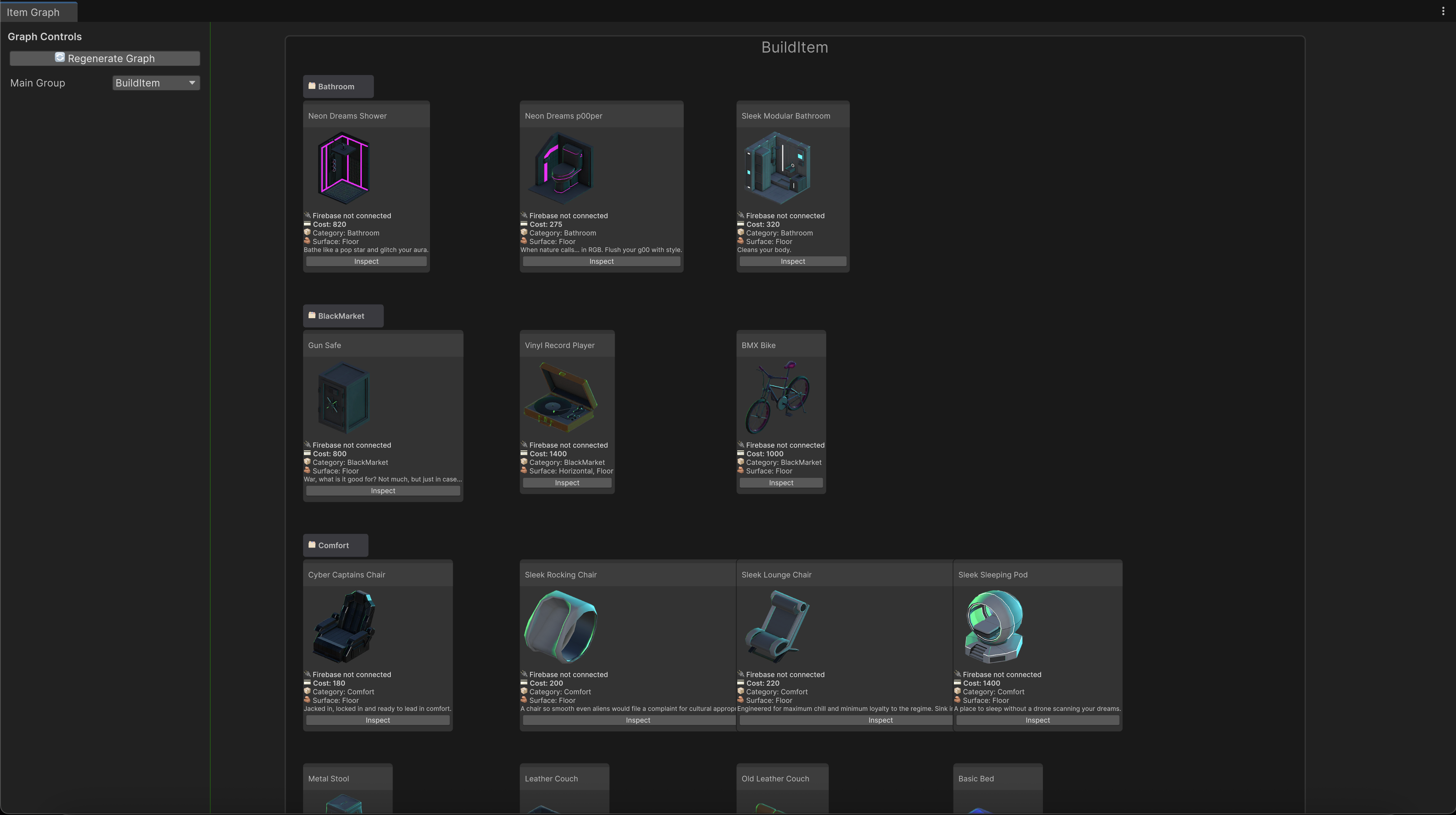
This tool provides an overview of all Scriptable Objects that derive from TransactionalItemData_Base_SO, and displays them in a graph view with quick-controls to sync the Transactional data with Firebase.
Connection and synchronization to Firebase:
- Do not connect Editor Firebase while in Play mode
- Only one instance of Editor Firebase to be connected at a time
Once Editor Firebase is connected, you will be able to view color-coded statuses for each Transactional item type. You can filter to a subgroup, such as BuildItemData on the left pane.
Clicking on a node will open the corresponding Scriptable Object in the inspector, where you can make changes. You can also use the quick-controls at the top to sync all items of a type to or from Firebase. (Coming soon)
Build Item Viewer
(Tools / m00m / Build Item Data Browser)
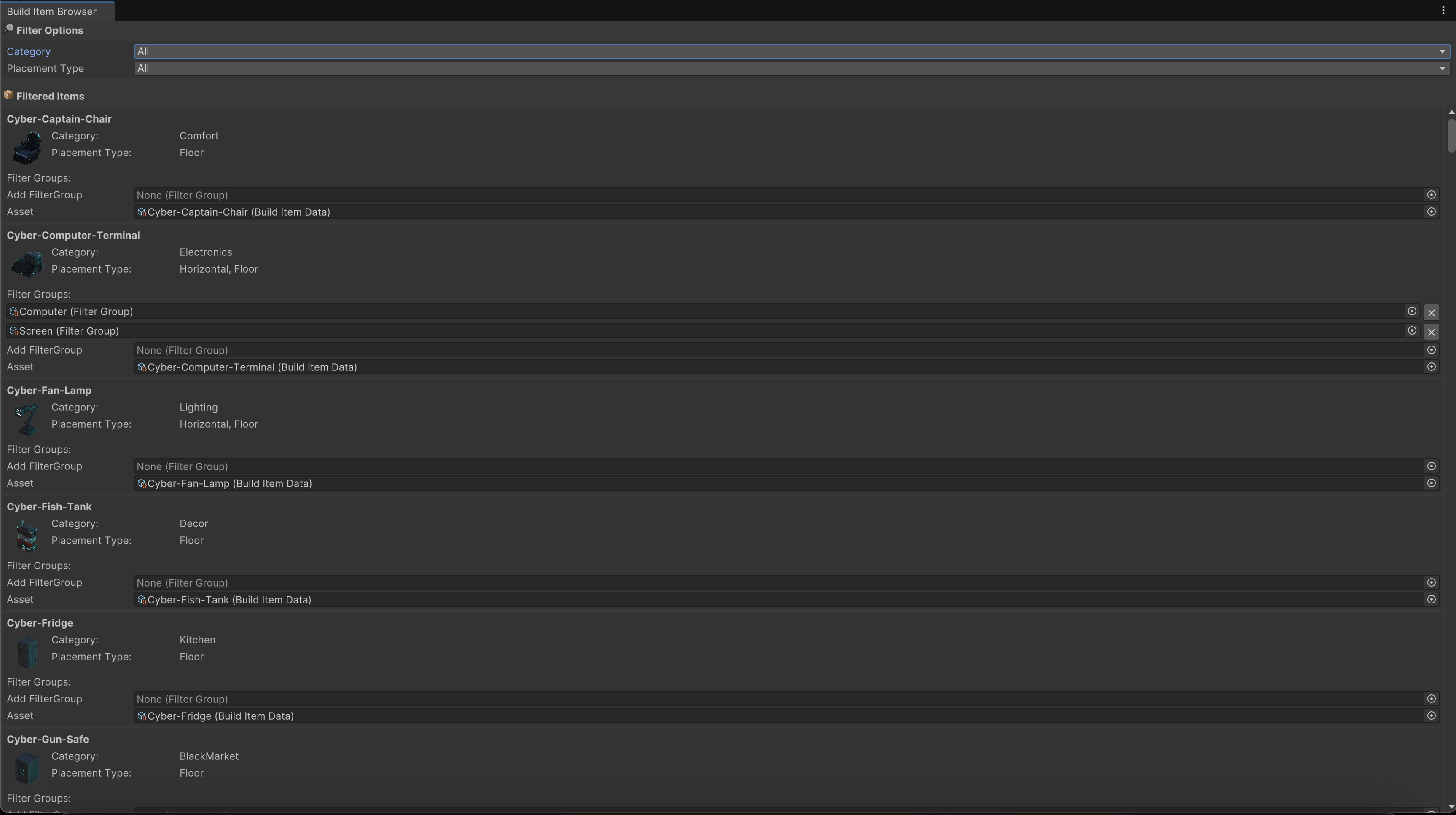
This tool provides an overview of all Scriptable Objects that derive from BuildItemData, and displays them in a list view with quick-controls to sync the Build Item data with Firebase.
Controls are provided to filter the items by category or placement type, when using the interior-decoration mode of m00m world.
Clicking on an item will open the corresponding Scriptable Object in the inspector, where you can make changes.
Select All Static GameObjects
(Tools / m00m / Select All Static GameObjects)
This tool selects all GameObjects in the current scene that are marked as static. This is useful for quickly identifying and managing static objects in your scene.
As a mobile-first game, we have to be very deliberate with the type of static flags we allow on GameObjects. This is a helper tool to filter and select items based on those flags.